Browser Extension 4.3/5 VS CodeVS Code compatible editors
What is Piny?
Visual editor for Astro, React, Next.js & Tailwind that runs in your IDE. Edit code visually, navigate components, and streamline styling.
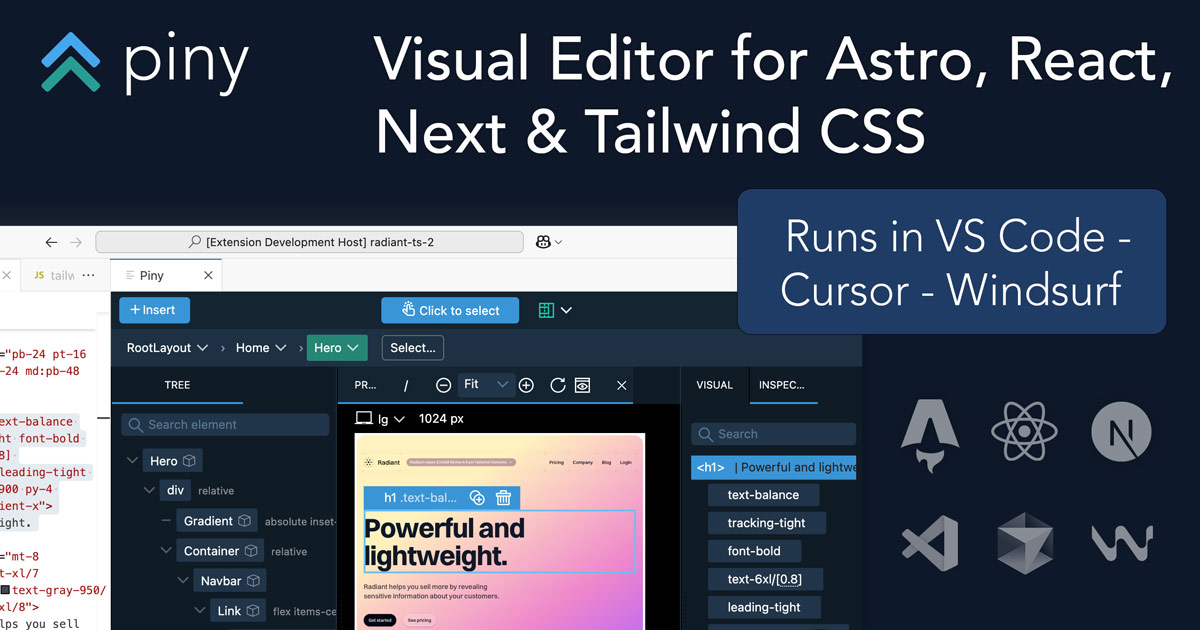
Piny is a powerful visual editor for Astro, React, Next.js and Tailwind CSS that runs in your IDE (VS Code). It allows developers to edit code visually, navigate components, and streamline styling with no special libraries or extra setup. All edits happen directly in your code, and it works alongside your favorite coding assistant. Features include visual Tailwind controls, Tailwind class inspector, component navigation, AI-powered drag and drop, and more. Free tier available with no account needed; Pro unlocks visual select, multi-element editing, project navigation, and custom theme import.
Key Features
check_circleVisual Tailwind Controls
check_circleTailwind Class Inspector
check_circleEdit Tailwind Classes Everywhere
check_circleComponent Navigation
check_circleAI Powered Drag & Drop
check_circleVisual Select (Pro)
check_circleEdit Multiple Elements (Pro)
check_circleNavigate the Whole Project (Pro)
check_circleImport Custom Tailwind Theme (Pro)
Use Cases
lightbulbFrontend developers using Astro, React, or Next.js can visually style elements with Tailwind CSS controls, instantly seeing code changes and reducing manual class editing time.
lightbulbDevelopers managing complex Tailwind styles can use the Class Inspector to organize classes in an editable tree, making it easy to manage states and variants.
lightbulbTeams working on large component libraries can quickly jump between components using Piny's navigation, associating routes with components for accurate previews.
lightbulbDesigners and developers can use AI-assisted drag and drop to build UI visually, leveraging their own API key for AI assistance alongside their favorite AI agent.
lightbulbPro users can visually select elements in the preview and drill down into components, streamlining the process of finding and editing specific UI parts.
lightbulbDevelopers can select multiple elements at once (CMD/CTRL+Click) and apply styling changes simultaneously, speeding up bulk edits across components.
lightbulbPro users can import their custom Tailwind theme (colors, fonts, spacing) into visual controls, ensuring consistency with project design tokens.
lightbulbDevelopers using Lovable can integrate Piny to visually edit Tailwind styling in their projects, combining AI-generated code with visual refinement.
visual editorAstroReactNext.jsTailwind CSSVS CodeIDE extensionstylingcomponent navigationdrag and dropAI-assisted