
Image Editing Free
BlurBackground AI
Web Application 4.3/5 web
What is BlurBackground AI?
AI-powered tool to blur or remove image backgrounds for free, no sign-up needed.
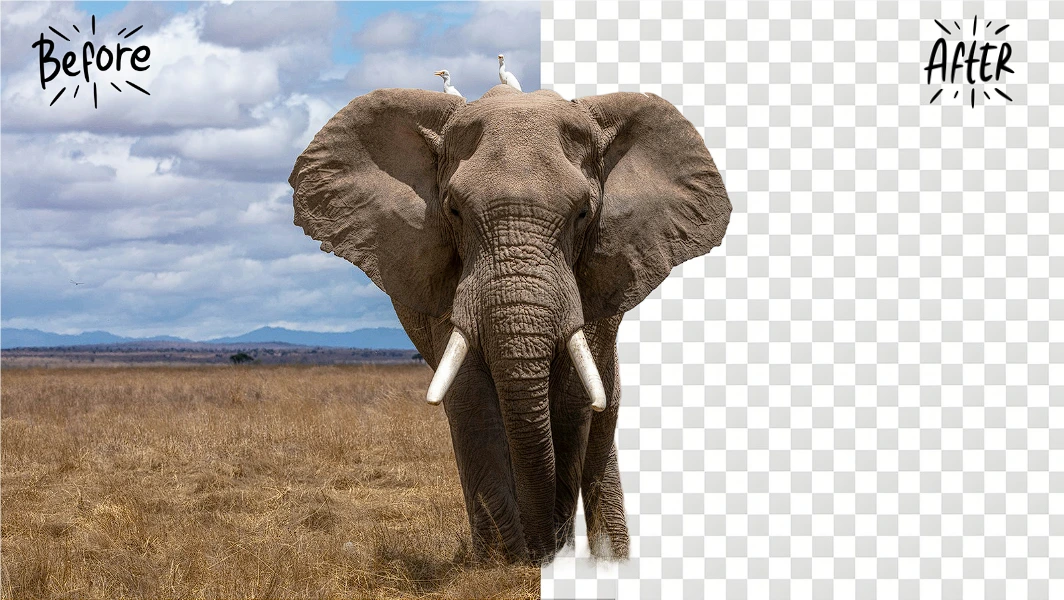
BlurBackground AI is a free online tool that uses AI to instantly blur or remove image backgrounds. It supports adjustable blur intensity, transparent backgrounds, and high-resolution exports. No sign-up or ads required.
Key Features
AI-powered background blur
Background removal to transparent
Adjustable blur intensity
High-resolution export
Supports PNG, JPG, JPEG, WEBP
No sign-up required
No ads
Privacy protected (images not stored)
Use Cases
Freelance photographers can quickly blur distracting backgrounds in portraits, saving hours of manual editing while delivering professional results to clients.
E-commerce business owners remove product backgrounds to create clean white or transparent images for online listings, increasing conversion rates with consistent visuals.
Social media influencers use adjustable blur effects to make their subjects pop in posts, creating engaging content in seconds without expensive software.
Graphic designers generate transparent background images for compositing into marketing materials, streamlining their workflow with one-click AI processing.
Job seekers create polished headshots with blurred backgrounds for LinkedIn profiles, presenting a professional image without hiring a photographer.
Content creators add subtle background blur to blog images and social media graphics, enhancing readability of text overlays and boosting audience engagement.
background blurbackground removalAI photo editorfree toolonline editorportrait editingproduct photography
Alternatives
Frequently asked questions
- What is BlurBackground AI used for?
- BlurBackground AI is used for Freelance photographers can quickly blur distracting backgrounds in portraits, saving hours of manual editing while delivering professional results to clients.; E-commerce business owners remove product backgrounds to create clean white or transparent images for online listings, increasing conversion rates with consistent visuals.; Social media influencers use adjustable blur effects to make their subjects pop in posts, creating engaging content in seconds without expensive software.; Graphic designers generate transparent background images for compositing into marketing materials, streamlining their workflow with one-click AI processing.; Job seekers create polished headshots with blurred backgrounds for LinkedIn profiles, presenting a professional image without hiring a photographer..
- What are alternatives to BlurBackground AI?
- Alternatives to BlurBackground AI include Remove.bg, Adobe Photoshop, Canva. See the full ranked list of BlurBackground AI alternatives on ContentBuffer.
Opens in a new tab on BlurBackground AI website.
Comments
Subscribe to join the conversation...
Be the first to comment
Discover more AI tools like this
Get the best AI tools, news, and resources delivered weekly.
Join 3,568 builders reading daily.
Also get